const { useState, useEffect, useRef, useMemo } = React;

// --- Icons ---
const Icon = {
  arrow: (p) =>
  <svg width="14" height="14" viewBox="0 0 14 14" fill="none" {...p}>
      <path d="M3 11L11 3M11 3H5M11 3V9" stroke="currentColor" strokeWidth="1.4" strokeLinecap="round" />
    </svg>,

  arrowDown: (p) =>
  <svg width="12" height="12" viewBox="0 0 12 12" fill="none" {...p}>
      <path d="M6 2V10M6 10L2 6M6 10L10 6" stroke="currentColor" strokeWidth="1.4" strokeLinecap="round" />
    </svg>,

  arrowRight: (p) =>
  <svg width="16" height="16" viewBox="0 0 16 16" fill="none" {...p}>
      <path d="M3.5 8H12.5M12.5 8L8.5 4M12.5 8L8.5 12" stroke="currentColor" strokeWidth="1.4" strokeLinecap="round" />
    </svg>,

  close: (p) =>
  <svg width="14" height="14" viewBox="0 0 14 14" fill="none" {...p}>
      <path d="M3 3L11 11M11 3L3 11" stroke="currentColor" strokeWidth="1.4" strokeLinecap="round" />
    </svg>

};

// --- Top nav ---
function TopNav({ section, onNav, onQuote, theme, onToggleTheme }) {
  const items = [
  { id: "work", label: "Work" },
  { id: "capabilities", label: "Capabilities" },
  { id: "about", label: "About" },
  { id: "contact", label: "Contact" }];

  return (
    <nav className="topnav">
      <a className="topnav-brand" onClick={() => onNav("top")}>
        <EWLogo size={30} color="currentColor" />
        <span className="topnav-brand-text">Ewan Wills</span>
      </a>
      <div className="topnav-links">
        {items.map((it) =>
        <a
          key={it.id}
          className={`topnav-link ${section === it.id ? "is-active" : ""}`}
          onClick={() => onNav(it.id)}>
          
            {it.label}
          </a>
        )}
      </div>
      <button
        className="topnav-theme"
        onClick={onToggleTheme}
        aria-label={theme === "dark" ? "Switch to light mode" : "Switch to dark mode"}
        title={theme === "dark" ? "Switch to light mode" : "Switch to dark mode"}>
        
        {theme === "dark" ?
        <svg width="15" height="15" viewBox="0 0 15 15" fill="none"><circle cx="7.5" cy="7.5" r="3" fill="currentColor" /><g stroke="currentColor" strokeWidth="1.3" strokeLinecap="round"><path d="M7.5 1v2M7.5 12v2M1 7.5h2M12 7.5h2M3 3l1.4 1.4M10.6 10.6L12 12M12 3l-1.4 1.4M4.4 10.6L3 12" /></g></svg> :

        <svg width="15" height="15" viewBox="0 0 15 15" fill="none"><path d="M12.5 9.5A5 5 0 116 2.5a4 4 0 006.5 7z" fill="currentColor" /></svg>
        }
      </button>
      <a className="topnav-cta" onClick={onQuote}>
        Start a project <Icon.arrow />
      </a>
    </nav>);

}

// --- Hero ---
function Hero({ onQuote, onScrollWork }) {
  return (
    <section className="hero" id="top">
      <div className="hero-badge">
        <span className="hero-badge-pulse" />
        <span>Booked through early 2027</span>
        <span className="hero-badge-chip">Expanding the queue — let's talk</span>
      </div>

      <h1 className="hero-title">
        <span className="line">Robotics-led</span>
        <span className="line" style={{ fontSize: "80.32px" }}><em>product</em> development</span>
        <span className="line" style={{ fontSize: "80px" }}>concept → manufacture</span>
      </h1>

      <div className="hero-bottom">
        <p className="hero-lead">
          I help founders prove concepts, build prototypes, and design products <em>ready for production</em> — bridging the gap between a workbench sketch and a manufacturable unit.
        </p>
        <div className="hero-meta">
          <div className="hero-meta-row"><span className="mono-tag">Based</span><span>United Kingdom</span></div>
          <div className="hero-meta-row"><span className="mono-tag">Clients</span><span>Founders · Startups</span></div>
          <div className="hero-meta-row"><span className="mono-tag">Shipped</span><span>10+ projects</span></div>
        </div>
        <div className="hero-cta-group">
          <button className="btn btn-primary lg" onClick={onQuote}>
            <span>Start a project</span> <Icon.arrow />
          </button>
          <button className="btn btn-ghost lg" onClick={onScrollWork}>
            <span>See work</span> <Icon.arrowDown />
          </button>
        </div>
      </div>
    </section>);

}

function Marquee() {
  const items = ["Mechanical design", "Robotics", "Electronics", "Design for manufacture", "Prototyping", "PCB design", "Firmware"];
  const doubled = [...items, ...items];
  return (
    <div className="marquee">
      <div className="marquee-track">
        {doubled.map((t, i) =>
        <span key={i} className="marquee-item">
            <span>{t}</span>
            <span className="star">✦</span>
          </span>
        )}
      </div>
    </div>);

}

// --- Featured work ---
function FeaturedWork({ projects, onOpen }) {
  return (
    <section className="section" id="work">
      <div className="section-head">
        <div className="section-head-label">
          <span className="sq" />
          <span className="mono-tag">01 — Selected work</span>
        </div>
        <h2 className="section-title">Projects, shipped and <em>in progress</em>.</h2>
        <p className="section-note">Click any row to open a detailed case.</p>
      </div>

      <div className="work-list">
        {projects.map((p) =>
        <article key={p.id} className="work-card" onClick={() => onOpen(p.id)}>
            <span className="work-num">{p.num} / {String(projects.length).padStart(2, "0")}</span>
            <div className="work-title-group">
              <h3 className="work-title">{p.title}</h3>
              <div className="work-meta">
                <span className="pill">{p.tag}</span>
                <span className="pill">{p.year}</span>
                {p.discipline.slice(0, 2).map((d) => <span key={d} className="pill">{d}</span>)}
              </div>
            </div>
            <div className="work-preview">
              <img src={p.image} alt={p.title} />
              <span className="work-preview-tag">View case</span>
            </div>
            <div className="work-arrow"><Icon.arrowRight /></div>
          </article>
        )}
      </div>
    </section>);

}

// --- Capabilities ---
function Capabilities() {
  const caps = [
  ["Mechanical", "CAD, DFM, machining, tolerance analysis", "01"],
  ["Electronics", "Custom PCBs, firmware, low-power design", "02"],
  ["Robotics", "Motion systems, gantries, controls", "03"],
  ["Product", "Prototype to market, supplier handoff", "04"]];

  const steps = [
  ["Discover", "Understand the problem, constraints, and commercial shape."],
  ["Prototype", "Rapid first-principles builds to de-risk the concept."],
  ["Refine", "Tolerance, DFM, and iteration informed by real testing."],
  ["Deliver", "Handoff with drawings, BOMs, and a supplier-ready package."]];

  return (
    <section className="section" id="capabilities">
      <div className="section-head">
        <div className="section-head-label">
          <span className="sq" />
          <span className="mono-tag">02 — Capabilities</span>
        </div>
        <h2 className="section-title">A full stack, from <em>first sketch</em> to first unit.</h2>
        <p className="section-note">Four disciplines, one workshop, one accountable person.</p>
      </div>

      <div className="caps">
        {caps.map(([t, d, n]) =>
        <div className="cap-card" key={t}>
            <span className="cap-num">{n} / 04</span>
            <h4 className="cap-title">{t}</h4>
            <p className="cap-desc">{d}</p>
          </div>
        )}
      </div>

      <div className="process">
        {steps.map(([t, d], i) =>
        <div key={t} className="process-step">
            <div className="process-step-num">{String(i + 1).padStart(2, "0")}</div>
            <div className="process-step-title">{t}</div>
            <div className="process-step-desc">{d}</div>
          </div>
        )}
      </div>
    </section>);

}

// --- Drawer ---
function ProjectDrawer({ project, onClose, onNext, onPrev }) {
  useEffect(() => {
    if (!project) return;
    const onKey = (e) => {
      if (e.key === "Escape") onClose();
      if (e.key === "ArrowRight") onNext();
      if (e.key === "ArrowLeft") onPrev();
    };
    document.body.style.overflow = "hidden";
    window.addEventListener("keydown", onKey);
    return () => {
      document.body.style.overflow = "";
      window.removeEventListener("keydown", onKey);
    };
  }, [project, onClose, onNext, onPrev]);

  if (!project) return null;

  return (
    <div className="drawer-scrim" onClick={onClose}>
      <article className="drawer" onClick={(e) => e.stopPropagation()}>
        <header className="drawer-head">
          <div className="drawer-meta">
            <span className="mono-tag">{project.num} / {project.tag}</span>
            <span className="mono-tag muted">{project.year}</span>
          </div>
          <div className="drawer-nav">
            <button className="icon-btn" onClick={onPrev}>←</button>
            <button className="icon-btn" onClick={onNext}>→</button>
            <button className="icon-btn" onClick={onClose}><Icon.close /></button>
          </div>
        </header>
        <div className="drawer-body">
          <div className="drawer-media"><img src={project.image} alt={project.title} /></div>
          <div className="drawer-content">
            <h2 className="drawer-title">{project.title}</h2>
            <p className="drawer-summary">{project.summary}</p>
            <div className="drawer-stats">
              {project.stats?.map((s, i) =>
              <div key={i} className="stat">
                  <span className="mono-tag">{s.k}</span>
                  <strong>{s.v}</strong>
                </div>
              )}
            </div>
            <div className="drawer-notes">
              <h4 className="mono-tag">Project notes</h4>
              {project.details.map((d, i) => <p key={i}>{d}</p>)}
            </div>
            <div className="drawer-tags">
              {project.discipline.map((d) => <span key={d} className="chip">{d}</span>)}
            </div>
            {project.link &&
            <a href={project.link.href} target="_blank" rel="noreferrer" className="btn btn-primary mt">
                <span>{project.link.label}</span> <Icon.arrow />
              </a>
            }
          </div>
        </div>
      </article>
    </div>);

}

// --- Archive ---
function Archive({ projects }) {
  const disciplines = useMemo(() => {
    const s = new Set();
    projects.forEach((p) => p.discipline.forEach((d) => s.add(d)));
    return ["All", ...Array.from(s)];
  }, [projects]);

  const [filter, setFilter] = useState("All");
  const [view, setView] = useState("grid");
  const filtered = filter === "All" ? projects : projects.filter((p) => p.discipline.includes(filter));

  return (
    <section className="section" id="archive">
      <div className="section-head">
        <div className="section-head-label">
          <span className="sq" />
          <span className="mono-tag">03 — Archive</span>
        </div>
        <h2 className="section-title">Past client work, Personal Products, <em>University Coursework</em>.</h2>
        <p className="section-note">
</p>
      </div>

      <div className="archive-toolbar">
        <div className="chips">
          {disciplines.map((d) => <button
              key={d}
              className={`chip chip-btn ${filter === d ? "is-active" : ""}`}
              onClick={() => setFilter(d)}>
              
              {d}
              <span className="mono-tag">
                {d === "All" ? projects.length : projects.filter((p) => p.discipline.includes(d)).length}
              </span>
            </button>
          )}
        </div>
        <div className="view-toggle">
          <button className={view === "grid" ? "is-active" : ""} onClick={() => setView("grid")}>Grid</button>
          <button className={view === "list" ? "is-active" : ""} onClick={() => setView("list")}>List</button>
        </div>
      </div>

      {view === "grid" ?
      <div className="archive-grid">
          {filtered.map((p) =>
        <article key={p.id} className="arc-card">
              <div className="arc-media">
                <img src={p.image} alt={p.title} />
                <span className="arc-media-tag">{p.discipline[0]}</span>
              </div>
              <div className="arc-body">
                <h3>{p.title}</h3>
                <div className="chips small">
                  {p.discipline.map((d) => <span key={d} className="chip xs">{d}</span>)}
                </div>
                <p>{p.summary}</p>
                {p.link &&
            <a href={p.link.href} target="_blank" rel="noreferrer" className="inline-link">
                    {p.link.label} <Icon.arrow />
                  </a>
            }
              </div>
            </article>
        )}
        </div> :

      <ul className="archive-list">
          {filtered.map((p) =>
        <li key={p.id} className="arc-row">
              <div>
                <h3>{p.title}</h3>
                <p>{p.summary}</p>
              </div>
              <div className="chips small">
                {p.discipline.map((d) => <span key={d} className="chip xs">{d}</span>)}
              </div>
            </li>
        )}
        </ul>
      }
    </section>);

}

// --- About ---
function About() {
  return (
    <section className="section" id="about">
      <div className="section-head">
        <div className="section-head-label">
          <span className="sq" />
          <span className="mono-tag">04 — About</span>
        </div>
        <h2 className="section-title">One engineer, <em>end-to-end</em>.</h2>
        <p className="section-note">No account-management layer. Just the person doing the work.</p>
      </div>

      <div className="about-grid">
        <div className="about-media">
          <div className="about-media-main">
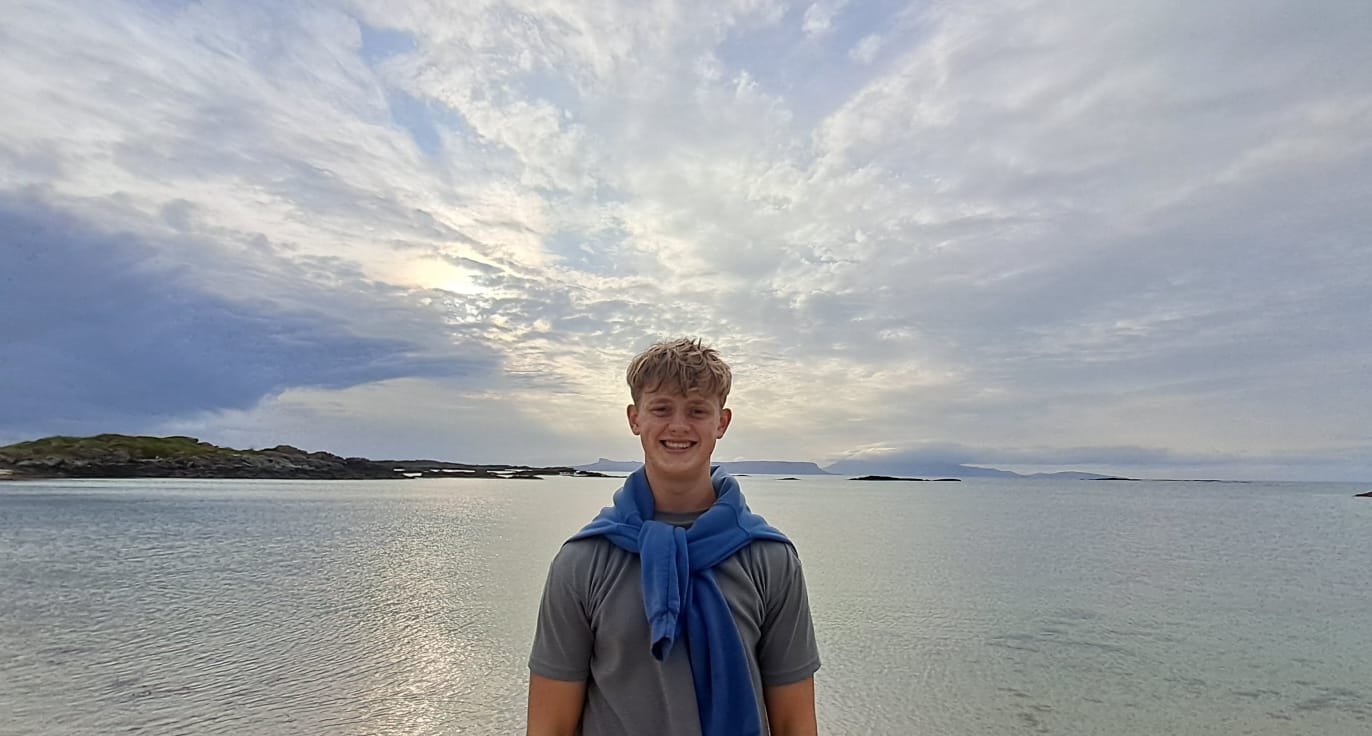
            <img src="images/ewan.JPG" alt="Ewan Wills" />
            <span className="about-media-tag">Studio · 2025</span>
          </div>
          <blockquote className="about-quote">
            "The shortest path between idea and object."
          </blockquote>
        </div>
        <div className="about-copy">
          <p className="lede">
            I'm <em>Ewan Wills</em> — a product developer with a background in robotics engineering.
          </p>
          <p>
            What is product development? It's how I take your ideas to manufacture so you can take them to your industry. I specialise in <em>robotics</em> and <em>design for manufacture</em> — and with a bit of business knowledge, I bridge the gap between founders and manufacturers.
          </p>
          <p>
            My clients usually come to me when they're looking to prove a concept prior to funding, or trying to develop a prototype into a manufacturable product.
          </p>
          <p>
            Currently I'm looking to expand my clientele by speaking to founders and startups. If you have an idea or concept you'd like to develop further, get in touch.
          </p>

          <div className="about-services">
            {[
            ["Concept → Prototype", "Feasibility studies, first-principles builds, fast iteration."],
            ["Prototype → Product", "DFM, tolerance analysis, supplier handoff."],
            ["Robotics & Motion", "Custom rigs, gantries, controls."],
            ["Electronics", "Custom PCBs, firmware, low-power design."]].
            map(([t, s]) =>
            <div className="svc" key={t}>
                <span className="svc-dot" />
                <strong>{t}</strong>
                <span>{s}</span>
              </div>
            )}
          </div>
        </div>
      </div>
    </section>);

}

// --- Contact ---
function Contact() {
  const [form, setForm] = useState({ name: "", email: "", company: "", stage: "concept", budget: "", message: "" });
  const [errors, setErrors] = useState({});
  const [sent, setSent] = useState(false);
  const [submitting, setSubmitting] = useState(false);
  const captchaRef = React.useRef(null);

  // Render the hCaptcha widget once the API script is ready, into a stable
  // div ref. Re-rendering the whole form on every keystroke would otherwise
  // tear the iframe down.
  useEffect(() => {
    let cancelled = false;
    let widgetId = null;
    const tryRender = () => {
      if (cancelled) return;
      if (!window.hcaptcha || !captchaRef.current || !window.HCAPTCHA_SITE_KEY) {
        return setTimeout(tryRender, 200);
      }
      if (captchaRef.current.dataset.rendered) return;
      captchaRef.current.dataset.rendered = "1";
      widgetId = window.hcaptcha.render(captchaRef.current, { sitekey: window.HCAPTCHA_SITE_KEY });
    };
    tryRender();
    return () => {
      cancelled = true;
      if (widgetId !== null && window.hcaptcha) {
        try { window.hcaptcha.remove(widgetId); } catch (e) {}
      }
    };
  }, []);

  const update = (k) => (e) => {
    setForm({ ...form, [k]: e.target.value });
    if (errors[k]) setErrors({ ...errors, [k]: null });
  };

  const submit = async (e) => {
    e.preventDefault();
    const errs = {};
    if (!form.name.trim()) errs.name = "Your name is required.";
    if (!form.email.match(/^[^\s@]+@[^\s@]+\.[^\s@]+$/)) errs.email = "Please enter a valid email.";
    if (form.message.trim().length < 10) errs.message = "Tell me a little about the project (10+ chars).";
    setErrors(errs);
    if (Object.keys(errs).length > 0) return;

    const captchaToken = window.hcaptcha ? window.hcaptcha.getResponse() : "";
    if (window.HCAPTCHA_SITE_KEY && !captchaToken) {
      setErrors({ ...errs, captcha: "Please complete the captcha." });
      return;
    }

    setSubmitting(true);
    try {
      const res = await fetch("/contact", {
        method: "POST",
        headers: { "Content-Type": "application/json" },
        body: JSON.stringify({ ...form, captchaToken }),
      });
      if (!res.ok) throw new Error("send failed");
      setSent(true);
      setTimeout(() => setSent(false), 8000);
      setForm({ name: "", email: "", company: "", stage: "concept", budget: "", message: "" });
      if (window.hcaptcha) window.hcaptcha.reset();
    } catch (err) {
      setErrors({ submit: "Couldn't send — try again, or email contact@ewanwills.co.uk." });
    } finally {
      setSubmitting(false);
    }
  };

  return (
    <section className="section" id="contact">
      <div className="contact-hero">
        <div className="section-head-label" style={{ marginBottom: 24 }}>
          <span className="sq" />
          <span className="mono-tag">05 — Contact</span>
        </div>
        <h2 className="contact-hero-title">Let's build <em>something</em>.</h2>
      </div>

      <div className="contact-grid">
        <div className="contact-copy">
          <p className="lede">
            Have a product or concept you'd like to develop? Tell me the shape of it — stage, constraints, timeline — and I'll come back with next steps.
          </p>
          <ul className="contact-facts">
            <li><span className="mono-tag">Email</span> <a href="mailto:contact@ewanwills.co.uk">contact@ewanwills.co.uk</a></li>
            <li><span className="mono-tag">Based</span> <span>United Kingdom · Remote worldwide</span></li>
            <li><span className="mono-tag">Working with</span> <span>Founders · Startups · Small teams</span></li>
            <li><span className="mono-tag">Typical reply</span> <span>Within 48 hours</span></li>
            <li><span className="mono-tag">Open for</span> <span>New projects, May 2026</span></li>
          </ul>
        </div>
        <form className="contact-form" onSubmit={submit} noValidate>
          <div className="field-row">
            <label className={`field ${errors.name ? "has-error" : ""}`}>
              <span className="field-label">Name</span>
              <input value={form.name} onChange={update("name")} placeholder="Your name" />
              {errors.name && <span className="field-err">{errors.name}</span>}
            </label>
            <label className={`field ${errors.email ? "has-error" : ""}`}>
              <span className="field-label">Email</span>
              <input type="email" value={form.email} onChange={update("email")} placeholder="you@company.com" />
              {errors.email && <span className="field-err">{errors.email}</span>}
            </label>
          </div>
          <div className="field-row">
            <label className="field">
              <span className="field-label">Company (optional)</span>
              <input value={form.company} onChange={update("company")} placeholder="Acme Robotics" />
            </label>
            <label className="field">
              <span className="field-label">Project stage</span>
              <select value={form.stage} onChange={update("stage")}>
                <option value="concept">Concept / idea</option>
                <option value="prototype">Early prototype</option>
                <option value="refine">Refining prototype</option>
                <option value="dfm">Ready for DFM</option>
                <option value="production">In production</option>
              </select>
            </label>
          </div>
          <div className="field">
            <span className="field-label">Budget (optional)</span>
            <div className="budget-chips">
              {["< £5k", "£5 – 15k", "£15 – 40k", "£40k +", "Unsure"].map((b) =>
              <button
                type="button"
                key={b}
                className={form.budget === b ? "is-active" : ""}
                onClick={() => setForm({ ...form, budget: b })}>
                {b}</button>
              )}
            </div>
          </div>
          <label className={`field ${errors.message ? "has-error" : ""}`}>
            <span className="field-label">About the project</span>
            <textarea
              rows="5"
              value={form.message}
              onChange={update("message")}
              placeholder="What are you building? What stage is it at? Where are the unknowns?" />
            
            {errors.message && <span className="field-err">{errors.message}</span>}
          </label>
          <div ref={captchaRef} style={{ minHeight: 78 }} />
          {errors.captcha && <span className="field-err">{errors.captcha}</span>}
          {errors.submit && <span className="field-err">{errors.submit}</span>}
          <div className="form-footer">
            <span className="mono-tag">
              {sent ? "✓ Message sent — I'll be in touch." : "I'll read this personally."}
            </span>
            <button className="btn btn-primary" type="submit" disabled={submitting}>
              <span>{submitting ? "Sending…" : "Send message"}</span> <Icon.arrow />
            </button>
          </div>
        </form>
      </div>
    </section>);

}

function Footer() {
  return (
    <footer className="site-footer">
      <div className="footer-cols">
        <div className="footer-col">
          <h5>Studio</h5>
          <p>Ewan Wills</p>
          <p>Product Development</p>
          <p>United Kingdom</p>
        </div>
        <div className="footer-col">
          <h5>Contact</h5>
          <a href="mailto:contact@ewanwills.co.uk">contact@ewanwills.co.uk</a>
          <a href="https://ewanwills.co.uk" target="_blank" rel="noreferrer">ewanwills.co.uk</a>
        </div>
        <div className="footer-col">
          <h5>Shop</h5>
          <a href="/ewatch">EWatch</a>
          <a href="/wrapper">EWrapper</a>
          <a href="/mouthguard_case">Mouthguard Cases</a>
        </div>
        <div className="footer-col">
          <h5>Currently</h5>
          <p>Booked through early 2027</p>
          <p>Happy to add to the queue</p>
        </div>
      </div>
      <div className="footer-bottom">
        <span>© {new Date().getFullYear()} Ewan Wills · All rights reserved.</span>
        <span>Built from scratch — HTML, CSS, JS.</span>
      </div>
    </footer>);

}

// Reveal hook using IntersectionObserver
function useReveal() {
  useEffect(() => {
    const els = document.querySelectorAll(".reveal");
    const obs = new IntersectionObserver(
      (entries) => {
        entries.forEach((e) => {
          if (e.isIntersecting) {
            e.target.classList.add("is-visible");
            obs.unobserve(e.target);
          }
        });
      },
      { threshold: 0.12 }
    );
    els.forEach((el) => obs.observe(el));
    return () => obs.disconnect();
  }, []);
}

// Cursor follower
function CursorFollower() {
  useEffect(() => {
    if (matchMedia("(pointer: coarse)").matches) return;
    const dot = document.createElement("div");
    dot.className = "cursor-dot";
    document.body.appendChild(dot);
    let tx = 0,ty = 0,x = 0,y = 0;
    let raf;
    const move = (e) => {tx = e.clientX;ty = e.clientY;};
    const tick = () => {
      x += (tx - x) * 0.25;
      y += (ty - y) * 0.25;
      dot.style.transform = `translate(${x}px, ${y}px) translate(-50%, -50%)`;
      raf = requestAnimationFrame(tick);
    };
    const over = (e) => {
      if (e.target.closest("a, button, .work-card, .arc-card, .cap-card, .svc")) {
        dot.classList.add("lg");
      } else {
        dot.classList.remove("lg");
      }
    };
    window.addEventListener("mousemove", move);
    window.addEventListener("mouseover", over);
    raf = requestAnimationFrame(tick);
    return () => {
      window.removeEventListener("mousemove", move);
      window.removeEventListener("mouseover", over);
      cancelAnimationFrame(raf);
      dot.remove();
    };
  }, []);
  return null;
}

Object.assign(window, {
  TopNav, Hero, Marquee, FeaturedWork, Capabilities, ProjectDrawer,
  Archive, About, Contact, Footer, Icon, useReveal, CursorFollower
});